Note
This page covers the architectural decisions and design rationale behind flow. For a deep technical reference, see the architecture docs on DeepWiki.
Last updated: May 2026
Flow is a YAML-driven task runner and workflow automation tool designed around composable executables, built-in secret management, and cross-project automation. This document covers the core architectural decisions and how the pieces fit together.
Design Philosophy
- Developer-Centric: Flow should be designed with developers in mind, providing a powerful yet intuitive interface for managing automation tasks.
- Composable: Flow should allow users to compose complex workflows from simple, reusable executables, enabling cross-project automation and collaboration.
- Discoverable: Flow should make it easy to find and run executables across multiple projects and workspaces, with a focus on discoverability and usability.
- Local-first: Flow should be able to be run entirely on a local machine, with no external dependencies or cloud services required.
- Malleable: Flow should be easily extensible and customizable, allowing users to adapt it to their specific needs and use it in a variety of contexts.
System Overview
Flow’s architecture centers on a CLI-first design where the Go-based CLI engine handles all business logic, with other interfaces acting as presentation or integration layers.
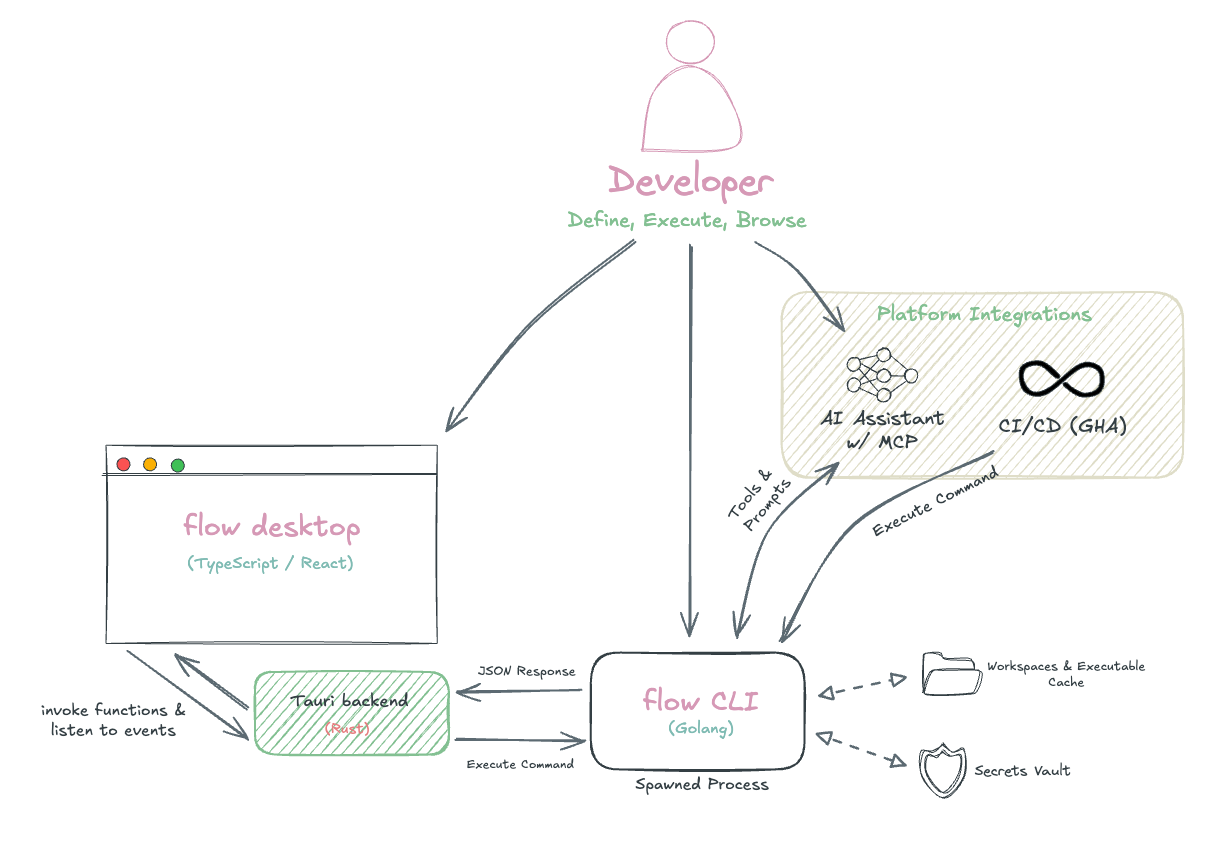
The desktop app and other interfaces communicate with the CLI through process execution, with each user action spawning a discrete CLI command. Because of this, it’s important that CLI operations are fast and efficient, which is achieved through caching and optimized data integrations.
Technical Stack
Core Languages
- Go - CLI engine, business logic, and execution runtime
- TypeScript/React - Desktop frontend with type-safe CLI communication
- Rust - Desktop backend via Tauri framework
User Interface
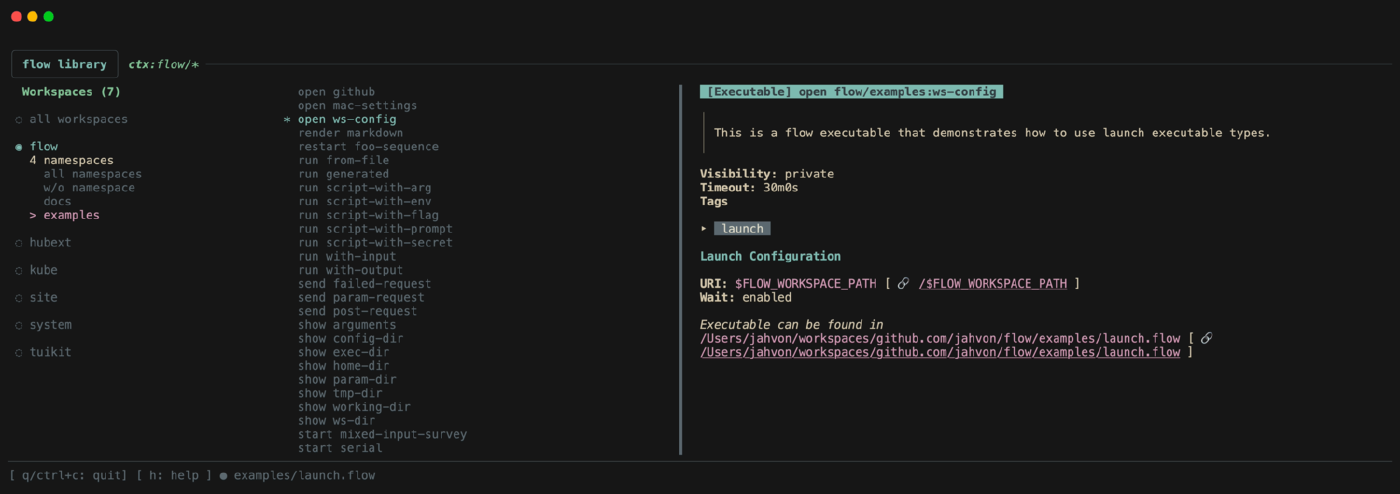
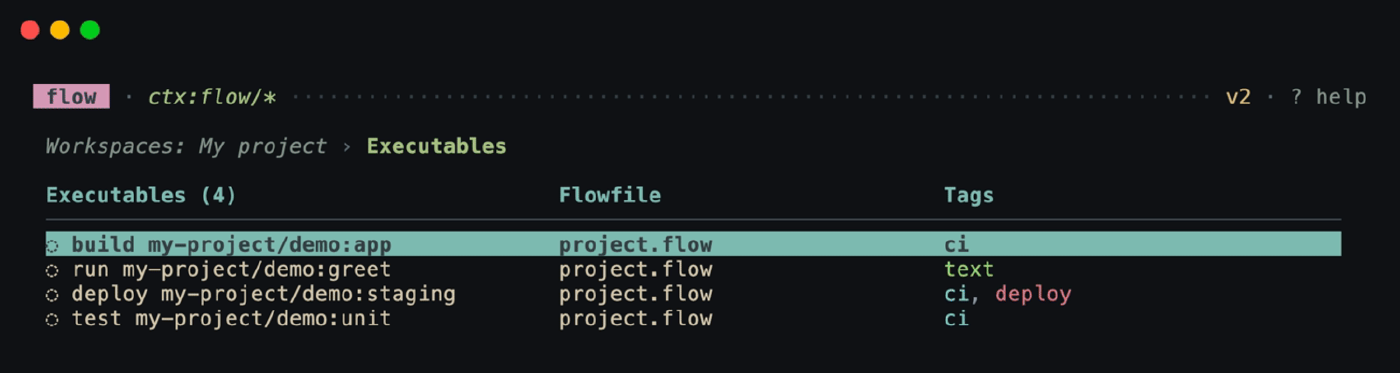
- Terminal: Bubble Tea with custom tuikit component library
- Desktop: Tauri + Mantine UI for VSCode-like interface
- CLI: Cobra for command structure and auto-completion
Core Libraries
- YAML Processing: yaml.v3 for YAML parsing and serialization
- Process Management: mvdan/sh for shell execution
- Expression Engine: Go’s
text/template+ Expr for conditional logic and templating - Markdown Rendering: Glamour and react-markdown for auto-generated documentation UI viewers
Organizational Model
Flow’s organizational system creates a hierarchical structure that scales from individual projects to complex multi-project ecosystems. The system balances discoverability with isolation, enabling both focused work within projects and cross-project composition.
Hierarchy Structure
Workspaces serve as the top-level organizational unit, typically mapping to Git repositories or major project boundaries. Each workspace contains its own configuration, executable discovery rules, and isolated namespace hierarchy.
Namespaces provide logical grouping within workspaces, similar to packages in programming languages. They enable organizational flexibility — a single workspace might have namespaces for frontend, backend, deploy, or tools. Namespaces are optional but recommended for workspaces with many executables.
Executables are the atomic units of automation, uniquely identified within their namespace by their name and verb combination. This allows multiple executables with the same name but different purposes (build api vs deploy api).
Reference System
Flow uses a URI-like reference system for executable identification:
workspace/namespace:name
│ │ │
│ │ └─ Executable name (Optional but unique within verb group + namespace)
│ └───────── Optional namespace grouping
└─────────────────── Workspace boundary
Reference Resolution Rules:
my-task→ Current workspace, current namespace, name=“my-task”backend:api→ Current workspace, namespace=“backend”, name=“api”project/deploy:prod→ workspace=“project”, namespace=“deploy”, name=“prod”project/→ workspace=“project”, no namespace, nameless executable
Reference Format Trade-offs:
- Chosen: Slightly more verbose for simple cases
- Avoided: Naming collisions, poor tooling support, brittle file/directory coupling
Verb System
Verbs describe the action an executable performs while enabling natural language interaction. Verbs can be organized into semantic groups with aliases:
# Executable definition
verb: build
verbAliases: [compile, package, bundle]
name: my-app
# With the above, all of these commands are equivalent:
flow build my-app
flow compile my-app
flow package my-app
This system allows developers to use whichever verb feels most natural while maintaining executable uniqueness through the [verb group + name] constraint.
I’ve significantly reduced the number of default verb groups to focus on the most common actions with the most semantic clarity. See the flow documentation for the latest default list.

Context Awareness
Flow maintains context awareness to reduce typing and improve ergonomics:
Current Workspace Resolution:
- Dynamic Mode: Automatically detects workspace based on current directory
- Fixed Mode: Uses explicitly set workspace regardless of location
Namespace Scoping:
- Commands inherit current namespace setting
- Explicit namespace references override current context
Note to self: Explicit command overrides of workspace / namespace may become an emerging need with the Desktop UI and MCP server usage.
Cross-Project Composition
The reference system enables powerful cross-project workflows:
executables:
- verb: deploy
name: full-stack
serial:
execs:
- ref: "build frontend/" # Different workspace
- ref: "build backend:api" # Different namespace
- ref: "deploy" # Current context
Execution Engine
The execution engine is the core of Flow, responsible for running executables defined in YAML files.
Runner Interface
The execution system uses a runner interface pattern where each executable type implements:
type Runner interface {
Name() string
Exec(
ctx context.Context,
exec *executable.Executable,
eng engine.Engine,
inputEnv map[string]string,
inputArgs []string,
) error
IsCompatible(executable *executable.Executable) bool
}
Current runner implementations include:
- Exec Runner: Shell command execution
- Request Runner: HTTP request handling
- Launch Runner: Application/URI launching
- Render Runner: Markdown rendering
- Serial Runner: Sequential execution of multiple executables
- Parallel Runner: Concurrent execution with resource limits
Workflows (Serial and Parallel)
The serial and parallel runners allow for composing complex workflows from simpler executables. Steps are defined with a RefConfig that supports inline commands or references to other executables:
type SerialRefConfig struct {
Cmd string
Ref Ref
Args []string
If string // Expression to conditionally skip the step
Retries int
ReviewRequired bool // Prompts the user before continuing
}
Execution and result handling is managed by the internal engine.Engine interface. The current implementation includes retry logic, error handling, and result aggregation.
Execution Environment and State
Environment Inheritance Hierarchy:
Environment variables are provided to the running executable in the following order:
- System environment variables (lowest priority)
- Dotenv files (
.env, workspace-specific) - Flow context variables (
FLOW_WORKSPACE_PATH,FLOW_NAMESPACE, etc.) - Executable
params(secrets, prompts, static values) - Executable
args(command-line arguments) - CLI
--paramoverrides (highest priority)
State Management
There are two ways state can be managed when composing workflows:
- Cache Store: Key-value persistence across executions with scoped lifetime. Values set outside executables persist globally; values set within executables are cleaned up on completion. Uses bbolt for cross-process storage.
- Temporary Directories: Isolated scratch space (
f:tmp) with automatic cleanup and shared access across serial/parallel workflow steps.
File System Access
By default, the working directory is the directory containing the flow file that defines the executable. This can be configured using special prefixes: // (workspace root), ~/ (user home), f:tmp (temporary).
There is no automatic sandboxing. Executables inherit full user permissions. Flow assumes users understand their workflows’ scope and potential for system modification, prioritizing automation flexibility over execution isolation. Containerized execution is a planned future improvement.
See the executable guide and state management for usage details.
Performance and Caching
Flow uses eager discovery with multi-level caching to keep response times fast. Workspace scanning runs up front and is cached to disk, with in-memory caching layered on top for quick lookups. The cache is invalidated and refreshed via flow sync or the --sync flag.
Note to self: Some performance testing needed to validate sub-100ms discovery targets across large workspace trees.
For implementation details, see the DeepWiki reference.
Vault System
The vault system provides secure storage, management, and retrieval of secrets across workspaces and executables. It extends the executable environment with multiple encryption backends.
Implementation: github.com/flowexec/vault
Provider Architecture
The vault system supports multiple storage backends through a common Provider interface:
type Provider interface {
ID() string
GetSecret(key string) (Secret, error)
SetSecret(key string, value Secret) error
DeleteSecret(key string) error
ListSecrets() ([]string, error)
HasSecret(key string) (bool, error)
Metadata() Metadata
Close() error
}
Current Providers
- Unencrypted Provider: Simple key-value store for development and testing
- AES Provider: Symmetric file encryption using AES-256-GCM (single key management)
- Age Provider: Asymmetric file encryption using the Age specification (supports multiple recipients)
- Keyring Provider: Uses system keyring (macOS Keychain, Linux Secret Service)
- External Provider: Integration with external CLI tools (1Password, Bitwarden) via command execution
Vault Switching
Vaults can be switched using a context-based system:
flow vault switch development
flow secret set api-key "dev-value"
flow vault switch production
flow secret set api-key "prod-value"
Secret references support both current vault context (secretRef: "api-key") and explicit vault specification (secretRef: "production/api-key").
Template System
Flow includes a templating system for generating executables and workspaces from reusable templates, built on Go’s text/template and the Expr expression language. See the documentation for usage details and examples.
Terminal UI
The terminal UI is built on Bubble Tea and Glamour, with most views defined in the tuikit component library.

Desktop Application
The desktop experience is evolving into Mochi, a local-first DevOps dashboard that wraps Flow’s execution engine. See the Mochi architecture page for more on where the desktop is headed.
Extensions and Integrations
GitHub Actions and CI/CD
Being able to run the same flow executables locally and in CI has always been a goal. A GitHub Action and Docker image are available for use across CI/CD systems. All flowexec organization repositories use this action.
Model Context Protocol
MCP server integration for AI assistant compatibility:
- Workspace browsing and executable discovery
- Natural language workflow generation
- Debug assistance with full context
Framework chosen: mcp-go
While implementing, I wanted to use MCP resources but support across clients is still low. I implemented the server with just Tools and Prompts to get the best experience across the most clients.
There is a get_info tool that provides the AI with context about Flow, the current workspace, and expected schemas. This along with server instructions provided the best experience with AI assistants during my testing.
Known Limitations and Future Work
- WASM Plugin System: Allowing Flow to be extended with WebAssembly plugins for custom executable types and template generators.
- Note to self: I did a small POC of this but wasn’t very happy with the development experience on the plugin side. WASM may not be the right fit for Flow’s extensibility model, but I want to keep it open as a possibility.
- AI Runner: Integrating AI models to assist with workflow generation, debugging, and context-aware suggestions.
- Containerized Execution: Running executables in isolated containers for security and resource management.
- Current Technical Debt:
- No dependency graph analysis (circular reference detection)
Resources
For implementation details, see the repository and documentation.