Last fall I wrote about using AI as a creative partner after helping with a HGSE module on vibe coding. The conclusion I landed on was careful: AI works best as a scaffold, not a substitute. Use it consciously, review everything, keep your judgment in the loop. I still believe that. But I’ve spent the last few months testing what that actually looks like when the output has to live somewhere.
Creative work you experience once. Development work you live in. That difference changes what you need from a partner.
The Bench
When I was at Recurse Center last summer, I started integrating AI more intentionally into how I build. Not for speed, for learning. I wanted to experiment with architectures I wouldn’t normally try, undo decisions cheaply, and see what held up. Flow was the natural workbench. It’s my own tool and I know every corner of it.
Over the last few months I’ve been building Flow Desktop and refactoring pieces of the core CLI with AI doing a lot of the implementation work. The experience has been different from vibe coding in ways that matter. In the HGSE projects, I was optimizing for something working. Here, I’m optimizing for something I can read six weeks later, find when I need it, and build on without second-guessing what’s underneath.
That changes what I actually delegate.
The Delegation Model
The architectural decisions stay with me. What the data model looks like, how executables get resolved, where state lives. What I hand off is the implementation of decisions I’ve already made. I describe the shape of what I want, review what comes back against that shape, and merge when it aligns. When it doesn’t, I say so explicitly.
A concrete example: I’ve been building an AI proxy backed by Cloudflare AI Gateway that sits across all of my tools. I decided on the architecture, what the proxy needs to do, how it integrates with the Cloudflare platform, what observability I want. AI implemented it. The Cloudflare MCP server made the feedback loop tight enough that I could test and iterate without switching contexts.
What makes this work is having a single place to see everything. Everything I’ve configured, discoverable from one surface.
One of the real risks of AI-assisted development is ending up with code you can’t navigate. Outputs that don’t connect to anything, a project that sprawls in ways you can’t audit. The workspace model keeps that from happening. I know where things live because I designed where they live.
I’ve also started using AI to enrich Flow itself, generating executable metadata, adding descriptions and tags, making the library more useful as it grows. Flow has an MCP server, so AI tools can interact with it directly. Watching an AI tool work with Flow rather than just producing files has been one of the more interesting parts of this.
Licklider’s framing from the last post still holds here. Set the goals, determine the criteria, perform the evaluations. That’s still your job. What’s changed is my confidence in what I can hand off once those things are set.
What It Produced
The review and iterate phase is where the real work happens. AI gets you to a first draft faster. Whether that draft is right is still a judgment call only you can make.
A few months of this produced Flow v2 and something I’ve been sitting on: Mochi. Development workflows have a way of becoming invisible. They exist, they’re just not anywhere you can see them. It’s a local-first dev ops dashboard built on Flow. Point it at a directory and it finds your development scripts and automations, turns them into a unified, AI-enriched dashboard. No cloud, no accounts, works with whatever you’re already running.
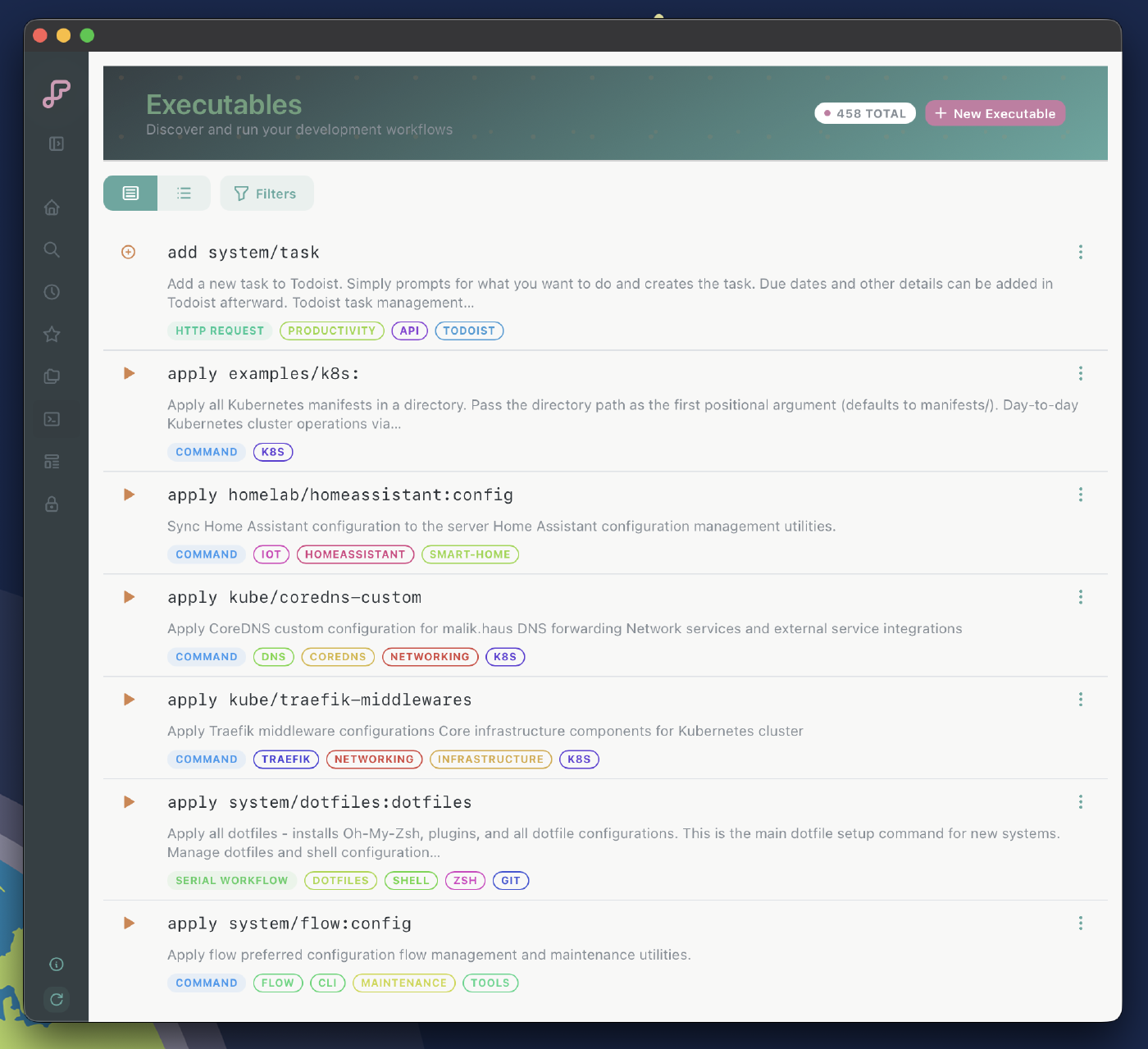 Executables view. Everything Mochi found across my workspaces, tagged and filterable.
Still early. If it sounds useful, the waitlist is at mochiexec.io.
I’m more convinced than I was last fall that the gap worth closing isn’t between what AI can produce and what you can prompt. It’s between what AI produces and what you actually understand. Building in a system you designed is one way to stay honest about that.